


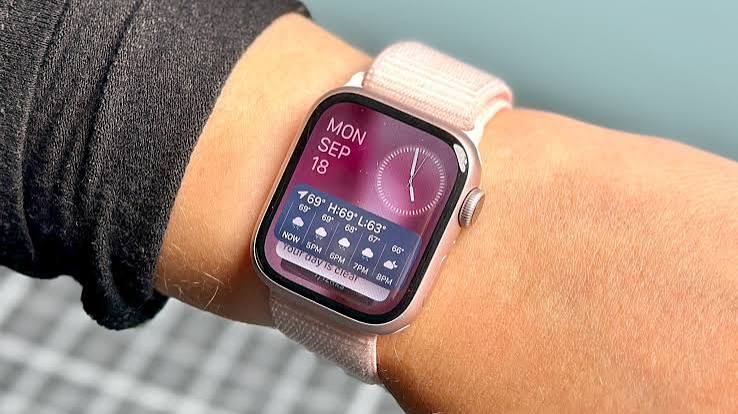
Apple Watch Siri AI is officially here, promising to bring the massive power of advanced Apple Intelligence directly to your wrist. However, as many early adopters are discovering, having a generative chatbot on your smartwatch doesn’t always guarantee a flawless sci-fi experience. If you are currently sitting on the waitlist or dealing with frequent app crashes, you are certainly not alone.
Just as enterprise developers must orchestrate their artificial intelligence logic perfectly custom AI harness secrets, Apple is still working out the complex orchestration of its on-device assistant. After putting the new software update through its rigorous paces, here are 5 amazing secrets regarding Apple Watch Siri AI and how to navigate its current limitations.
Table of Contents
- Hardware Requirements for Apple Watch Siri AI
- The Surprising Struggles of Apple Watch Siri AI
- Where Apple Watch Siri AI Outperforms the iPhone
- The Frustrations: Crashes and Gray Icons in Apple Watch Siri AI
- The Future of Apple Watch Siri AI and Conversations
- Frequently Asked Questions
1. Hardware Requirements for Apple Watch Siri AI
Since Apple Watch Siri AI heavily requires the new Apple Intelligence framework, you will need a device ecosystem that fully supports it. This explicitly includes an iPhone 15 Pro (or newer) paired with an Apple Watch Series 9 or newer. If you want to use the enhanced generative AI features on your wrist, you absolutely need both a supported watch and a supported phone—pairing a brand-new watch with an outdated iPhone will simply not unlock these capabilities.
For early testers running the latest developer software, enabling the feature requires toggling it in the iPhone’s Settings app, which initially places you on a digital waitlist. A few days later, a notification grants you official access. To understand the broader technical requirements of on-device machine learning, you can review technical documentation on Wikipedia.
2. The Surprising Struggles of Apple Watch Siri AI
Once upgraded, many users expect a magically seamless experience. Unfortunately, Apple Watch Siri AI is currently only occasionally useful and often surprisingly disappointing. When asking for simple local recommendations—such as the nearest yoga studio—the AI often hallucinates or provides locations that aren’t particularly close to home. In many of these specific local search examples, using the new AI is actually less efficient than a traditional Google search or even the old, non-AI Siri model.
Furthermore, the AI tends to heavily overcomplicate simple fitness inquiries. If you ask for a good warm-up for deadlifts, instead of a quick list, the assistant might generate massive paragraphs of text about the general physiological purpose of warm-ups. Tapping “Show More” forces you to scroll through an overly long bulleted list, which is a terrible user experience on a tiny wrist screen. Setting activity goals is equally buggy; occasionally, the AI will confirm it set your Move ring to 325 calories, but the Fitness app will register 320.
3. Where Apple Watch Siri AI Outperforms the iPhone
Despite its prominent flaws, Apple Watch Siri AI occasionally performs quite well, specifically with basic smartwatch utility tasks. Simple commands like setting a five-minute timer or asking for the daily weather forecast work instantly, bypassing the much longer processing delays seen with complex generative queries.
Interestingly, there are rare moments where the wrist-based AI actually provides slightly better contextual data than the iPhone. For example, when asking both devices for recent sleep data, both versions of the AI might claim they lack full information. However, the smartwatch version can at least reliably extract exactly what time you went to bed and what time you woke up. While a small victory, this proves that on-device health data integration holds massive potential once the initial bugs are ironed out.
4. The Frustrations: Crashes and Gray Icons in Apple Watch Siri AI
One of the purported new features of Apple Watch Siri AI is its ability to seamlessly search your emails and text messages for contextual information. Unfortunately, on the wrist, this semantic search frequently struggles. If you ask the watch what your daughter recently requested you to buy, it might find one item from yesterday but completely miss a secondary item requested the day before—unless heavily prompted. (Meanwhile, the iPhone version easily retrieves both items in a single, unprompted response).
Beyond search failures, stability remains a major pain point. The Siri app routinely crashes, unexpectedly kicking users back to the watch’s home screen. Other times, the voice synthesizer breaks up, interrupting itself to start the message over. When the AI is stumped—such as when asked to explain a gray icon currently on the watch face—it helplessly searches the web and reads generic, unhelpful text instead of analyzing the actual device state. For more reviews on tech frustrations, you can read insights from sites like Lifehacker.
5. The Future of Apple Watch Siri AI and Conversations
The newly promised Conversations app also requires significant refinement. Tapping the digital crown to view recent interactions often results in a “No conversations” screen, even if you have been conversing with the chatbot all day.
However, this feature is still very much a work in progress. The underlying concept of Apple Watch Siri AI is fantastic. The ability to ask follow-up questions and interrupt the chatbot mid-sentence to clarify a query is a massive upgrade over the legacy voice assistant. While the long five-to-ten-second processing waits, frequent app crashes, and inability to seamlessly access local device data are currently frustrating, these are solvable software issues. As Apple continues to patch the operating system, this wrist-based AI will eventually live up to its massive potential.
Frequently Asked Questions
What devices support Apple Watch Siri AI?
To use the new AI features, you must have an Apple Watch Series 9 or newer, explicitly paired with an iPhone 15 Pro or newer, as both devices are required to process Apple Intelligence tasks.
Why does the new Siri take so long to answer?
Because the new models utilize advanced generative AI and semantic search, complex queries often require off-device cloud processing. This can result in a 5-to-10-second delay while the system “thinks.”
Can the new smartwatch AI read my text messages?
Yes, one of the core features of the new AI is its ability to search your recent emails and iMessages to provide conversational context, though early beta versions sometimes struggle to find older messages without specific prompting.

